

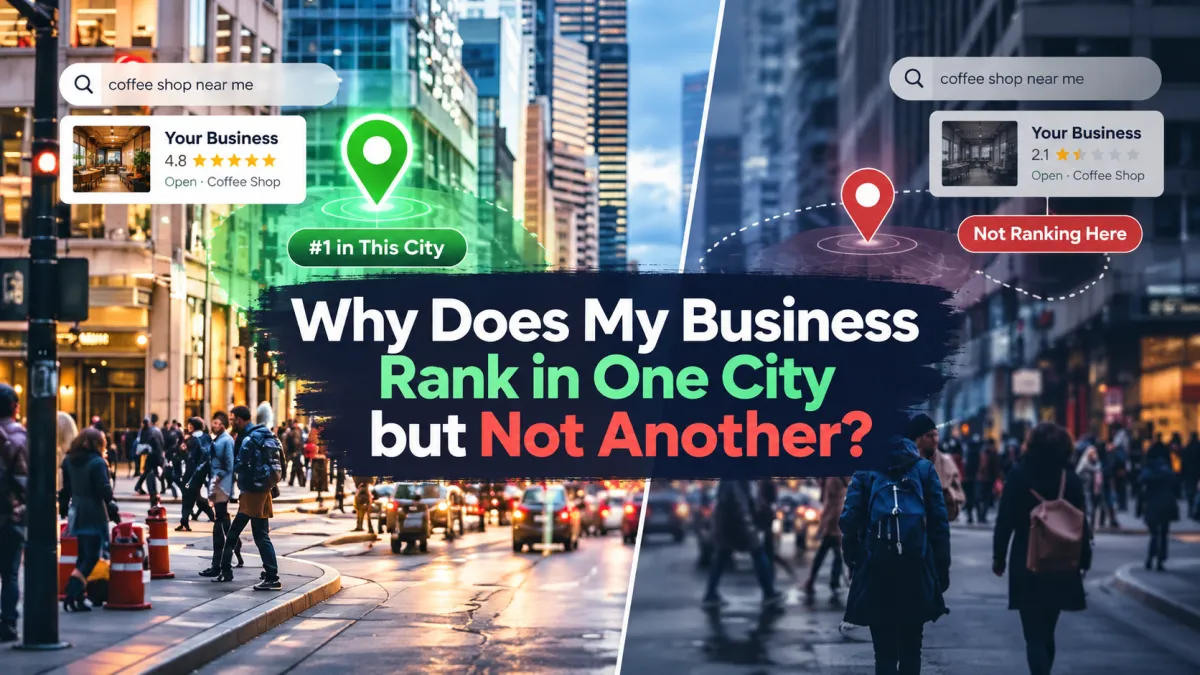
Why Does My Business Rank in One City but Not Another?
Your business appears on Google when someone searches in your hometown.
You might rank well for searches like "plumber near me," "roof repair," or "HVAC contractor."
But when you check the next city over, your business is nowhere to be found.
The frustrating part?
You serve both cities.
You may even have customers in both locations, offer the same services, and use the same website and Google Business Profile.
So why does Google show your business in one city but not another?
The answer usually comes down to distance, local relevance, competition, and how Google understands your business's location and service areas.
Google doesn't rank local businesses identically everywhere. Its local results are primarily influenced by relevance, distance, and prominence.
Let's look at why your rankings change between cities and what you can do to improve your visibility.
1. Your Physical Location Matters More Than You Think
This is one of the biggest reasons local rankings change between cities.
Imagine you operate a plumbing company based in Hartford, Connecticut.
You also serve customers in nearby Manchester.
When someone searches for a plumber in Hartford, your business may be geographically close to that person.
But when someone searches from Manchester, Google may identify other plumbing companies that are physically closer.
Even if you offer better service or have a more professional website, distance can influence where your Google Business Profile appears.
According to Google's local ranking guidance, distance is one of the primary factors used to determine local search results.
You can't simply optimize your way around every geographic difference.
However, you can work on the other factors that help Google understand your business and its services.
2. Adding a City to Your Service Area Doesn't Guarantee Rankings There
Many business owners assume that adding more cities to their Google Business Profile will make them rank in those locations.
For example, you might add:
Hartford
Manchester
New Britain
West Hartford
Glastonbury
That tells Google which areas your business serves.
But listing a city as a service area doesn't mean you'll automatically rank prominently for every search made there.
Your actual business location, relevance, and prominence still matter.
This is especially important for service-area businesses such as plumbers, electricians, cleaners, roofers, and HVAC contractors.
Make sure your service area accurately reflects where you work.
Don't add distant cities simply because you want more traffic.
If your Google Business Profile is struggling even in your primary city, read Why Is My Google Business Profile Ranking Lower Than Before?.
3. Competitors in the Other City May Have a Stronger Local Presence
You may have excellent visibility in your home city because you've built a strong reputation there.
But another city has a different competitive environment.
For example, your business may compete against five established HVAC companies in Hartford but twenty in Manchester.
Some competitors may have:
More established local reputations
More customer reviews
Stronger local backlinks
Better service pages
More relevant business information
A physical location closer to the searcher
Even if your website and Google Business Profile haven't changed, the businesses competing against you are different.
That's why a ranking that performs well in one city doesn't necessarily transfer to another.
To understand the broader factors that might be helping another company outperform yours, see Why Does My Competitor Rank Above My Business?.
4. Your Website May Not Clearly Explain Which Cities You Serve
Your Google Business Profile isn't the only part of your local visibility strategy.
Your website also needs to communicate where you operate.
Imagine your homepage says:
Professional Plumbing Services in Hartford, CT
But you also serve Manchester, Glastonbury, and West Hartford.
If those locations are barely mentioned anywhere else on your website, customers may have difficulty understanding your full service area.
Your website should clearly explain:
Which cities you serve
What services you offer in those areas
Whether customers can book appointments there
How someone in each location can contact you
If you genuinely serve multiple cities, consider providing useful location-specific information.
For example, a roofing company could explain the roofing services it provides in Manchester, include relevant local project examples, and answer questions customers in that area frequently ask.
Don't create dozens of nearly identical pages that simply swap out city names.
Focus on useful information that reflects your actual services and coverage.
5. Your Google Business Profile May Be More Relevant in One City
Google considers relevance when determining which businesses match a search.
Suppose someone searches:
emergency roof repair in Hartford
Your business may have a profile, website, and service information that clearly match that search.
But another business in Manchester might have a profile and website that better match a similar search there.
To strengthen your relevance, review your Google Business Profile.
Make sure your:
Primary business category is accurate
Services are properly listed
Business information is complete
Website accurately describes your services
Hours and contact information are current
Don't try to manipulate your business name by adding extra cities or keywords.
Use your actual business name and provide accurate information elsewhere in the profile.
Our guide to How to Improve Your Google Business Profile Ranking covers additional ways to strengthen your local presence.
6. Your Reviews and Local Reputation May Be Stronger in One Area
Imagine your business has operated in Hartford for ten years.
Most of your customers live nearby.
You've earned reviews, local mentions, and referrals from people in that community.
Then you expand into Manchester.
Although you serve both cities, your established reputation may be stronger in Hartford.
Google considers prominence when ranking local businesses. Its guidance explains that information such as links, reviews, and ratings can contribute to local ranking.
Building a stronger presence in another city can involve:
Providing excellent service to customers there
Asking customers for genuine reviews
Earning relevant local mentions
Building relationships with local organizations
Publishing useful content about your services in that area
Avoid buying reviews or creating fake local listings.
Focus on building a genuine presence where you actually do business.
7. You're Comparing Different Search Locations
Sometimes the problem is how you're checking your rankings.
You may search from your office and see your business near the top.
Then you search for the same service using another city name and see different results.
Those searches aren't necessarily equivalent.
Google considers the searcher's location when producing local results.
Even within the same city, someone searching from downtown may see different businesses than someone searching from a neighborhood several miles away.
That means one manual search doesn't provide a complete picture of your local visibility.
Compare your performance across the specific locations and services that matter to your business.
Also distinguish between your Google Maps visibility and your website's regular organic rankings.
Your business may rank in the local map results in one city while a service page from your website appears in organic results for another.
These are related but different search experiences.
If you're trying to understand that distinction, read Why Is My Business Showing Up on Google Maps but Not Google Search?.
How to Improve Your Google Rankings in Another City
If you want to expand your visibility beyond your primary location, start with what you can realistically improve.
Step 1: Check Your Existing Local Visibility
Identify which cities currently generate views, calls, website visits, and leads.
Don't assume your business is completely invisible simply because it doesn't appear in one manual search.
Step 2: Optimize Your Google Business Profile
Keep your business name, categories, hours, services, phone number, and service area accurate.
Make sure your profile represents your actual business operations.
Step 3: Improve Your Website's Location Information
Clearly explain which locations you serve.
Where it makes sense, create helpful city-specific content that provides genuine value rather than repeating the same text across multiple pages.
Step 4: Compare Competitors in Each City
Look at the businesses appearing for your target searches.
Review their services, website content, local reputation, and geographic proximity.
Identify opportunities to improve your own online presence.
Step 5: Build Your Reputation in the Target Area
Continue earning genuine reviews, referrals, and relevant local mentions through the work you do.
Step 6: Consider Whether You Have a Real Additional Business Location
If your business has expanded into another city with a legitimate, separately staffed location, review Google's eligibility rules for multiple Business Profiles.
Google allows eligible service businesses to have profiles for distinct locations with separate staff and service areas.
However, creating a profile using a virtual office or an address where the business doesn't genuinely operate is not a shortcut to better rankings.
Step 7: Track Leads, Not Just Rankings
A ranking improvement is valuable when it helps bring in actual business.
Measure whether your local SEO efforts generate more calls, form submissions, booked appointments, and customers.
Don't Just Rank in More Cities. Capture More Opportunities.
Expanding your visibility into nearby cities can create new opportunities.
But visibility alone isn't enough.
Suppose someone in Manchester discovers your business through Google.
They visit your website and request a quote.
What happens next?
Does the inquiry reach the right person?
Does someone respond quickly?
Can the customer book an appointment?
Does the lead receive follow-up if they don't respond immediately?
This is where having a connected business system becomes important.
WebGrowthHub brings together websites, CRM, lead capture, customer communication, online booking, and automation in one business growth platform.
Instead of treating visibility as the final goal, the idea is to connect the entire customer journey:
Get Found → Capture the Lead → Follow Up → Convert → Grow
Whether someone finds your business in your hometown or a nearby city, you need a reliable way to turn that opportunity into a customer.
Final Thoughts
If your business ranks in one city but not another, it doesn't automatically mean your SEO is broken.
Local rankings change based on where someone searches, how closely your business matches the query, and how your business compares with other local options.
Your physical location, service areas, website content, competition, and reputation can all play a role.
Start by understanding why your current city performs well.
Then identify what's different in the locations where you're struggling.
Improve the factors you can control, build a genuine local presence, and measure the business opportunities those efforts create.
Because ranking in more cities is useful—but turning that visibility into customers is what grows your business.


