


Why Did My Website Disappear From Google Search Results?
Few things are more concerning for a business owner than searching for your website on Google and realizing it is suddenly gone.
Maybe your homepage used to appear when customers searched for your business. Perhaps your service pages ranked for important keywords and generated consistent organic traffic. Then, seemingly overnight, your visibility dropped or your pages disappeared from the search results entirely.
Naturally, the first question is:
What happened?
A website disappearing from Google doesn't automatically mean you've been penalized. There are several possible explanations, ranging from indexing problems and technical changes to website migrations, algorithm updates, content changes, or temporary search fluctuations.
The important thing is not to panic or start changing everything at once.
Before you can recover your visibility, you need to determine why your website disappeared in the first place.
In this guide, we'll look at the most common reasons a website can disappear from Google Search and the steps you can take to diagnose the problem and start recovering your visibility.
First, Confirm That Your Website Actually Disappeared
Before assuming something is wrong, verify what has changed.
Search Google for your business name, website domain, and some of the keywords your website previously ranked for.
This can help you determine whether Google still has pages from your website indexed.
There is an important difference between:
Your website isn't ranking as highly as before
and
Your website is no longer appearing in Google's index.
A ranking decline may require an SEO investigation.
A deindexing problem requires a much more immediate technical investigation.
Google Search Console is one of the most useful places to start because it can provide information about indexing, crawling, search performance, and other issues affecting your website.
1. Your Website or Important Pages Are No Longer Indexed
One of the most common reasons a website appears to disappear from Google is an indexing problem.
Google needs to crawl and index your pages before they can appear in search results.
If your important pages are no longer indexed, they won't be able to generate organic search traffic.
This can happen because of:
Accidental noindex settings
Changes to robots.txt
Incorrect canonical tags
Website migrations
Technical errors
Deleted pages
Changes to your website platform
How to fix it
Open Google Search Console and inspect the pages that disappeared.
Check whether Google can access and index them.
If you recently made changes to your website, pay particular attention to anything that could have affected your indexing settings.
Don't immediately rewrite the page.
First make sure Google can actually access and index it.
2. You Accidentally Added a Noindex Tag

A noindex directive tells search engines that a page should not appear in their search results.
This can be useful when intentionally applied to certain pages.
But if it is accidentally added to your homepage, service pages, blog posts, or other important pages, those pages can disappear from Google.
This sometimes happens during website redesigns, migrations, development work, or changes to SEO settings.
What to check
Review the indexing settings for the pages that disappeared.
If a page contains an unintended noindex directive, removing it can allow Google to index the page again.
However, removing the noindex setting doesn't necessarily mean the page will immediately return to Google.
Google still needs to crawl and process the change.
3. Your Website Recently Went Through a Redesign or Migration
Website redesigns can create significant SEO problems if they aren't handled carefully.
A new design may look better to visitors while accidentally removing important SEO elements.
For example, a redesign could:
Change URLs
Delete pages
Remove content
Break internal links
Change page titles
Remove redirects
Change canonical settings
Add noindex directives
Create duplicate pages
Website migrations can be particularly risky because large numbers of URLs may change at once.
How to fix it
Compare your current website with the previous version.
Identify what changed around the time your Google visibility disappeared.
If URLs were changed, make sure appropriate redirects are in place.
If important pages were removed accidentally, determine whether they should be restored or replaced with a relevant equivalent.
The goal is to preserve the SEO value you've already built rather than starting over.
4. Your Domain or Website Had a Technical Problem
Sometimes the problem has nothing to do with your content.
Your website may have become temporarily unavailable to search engine crawlers.
Server errors, hosting problems, DNS issues, or security configurations can prevent Google from accessing your pages.
If Google repeatedly encounters technical problems while crawling your website, your search visibility can be affected.
What to check
Look for:
Server errors
Hosting outages
DNS problems
SSL certificate issues
Broken redirects
404 errors
5xx errors
Pages that fail to load
If your website isn't reliably accessible, resolving the underlying technical problem should be a priority.
5. Google Changed How It Ranks Your Content
Google regularly changes and improves the systems it uses to rank search results.
Sometimes these changes can cause websites to lose visibility even when the website owner hasn't made any recent changes.
If your traffic and rankings declined around the same time as a significant Google algorithm update, investigate whether the timing lines up.
However, don't automatically assume an algorithm update is responsible.
Look at the data first.
If your competitors experienced similar changes, or if certain types of pages across your website were affected, the update may be relevant.
How to respond
Avoid trying to "beat" a specific algorithm update.
Instead, review the pages that lost visibility and ask whether they still provide the best answer for the searcher's intent.
Improve content quality, accuracy, usefulness, page experience, and overall relevance.
6. Your Content Was Removed, Changed, or Significantly Reduced
Sometimes a website disappears from search because important content was changed.
You may have updated an old service page and accidentally removed the information that helped it rank.
Or perhaps an old blog post was shortened during a content cleanup.
Other times, an entire page may have been deleted.
This is why it's important to know what changed on your website before the decline occurred.
How to fix it
Identify pages that experienced the largest drops.
Compare their current content with older versions if available.
Look for:
Removed sections
Changed topics
Missing keywords
Deleted FAQs
Missing internal links
Changed page titles
Reduced topical coverage
If useful content was removed, consider restoring or improving it.
The goal isn't to put every old word back.
The goal is to make the page useful and relevant again.
7. Your Important Pages Are Being Canonicalized Somewhere Else
Canonical tags help search engines understand which version of a page should be treated as the preferred version.
They're useful when a website has multiple URLs containing similar or duplicate content.
But an incorrect canonical tag can create problems.
For example, if your service page accidentally points its canonical URL toward another page, Google may decide that the other page is the version it should prioritize.
This can make the original page disappear or lose visibility.
How to fix it
Review the canonical settings on pages that disappeared.
Make sure the canonical URL points to the correct version of the page.
This is another situation where Google Search Console can help you understand how Google is interpreting your URLs.
8. Your Website Has Been Hit by a Manual Action
A manual action is different from a normal algorithm update.
It occurs when Google's team determines that certain pages or practices on a website violate its spam policies.
If a manual action affects your website, Google Search Console can provide information about the issue.
How to check
Open the Manual Actions section inside Google Search Console.
If a manual action exists, review the information Google provides and address the identified issues.
Don't try to solve the problem by randomly changing your website.
Focus on the specific issue that was identified.
Once you've addressed it, follow Google's process for requesting a review.
9. Your Website Lost Important Backlinks

Backlinks can contribute to a website's authority and visibility.
If your website loses important links from relevant and reputable websites, some pages may gradually lose search visibility.
This can happen when:
A referring website deletes a page
An article is removed
A website redesign removes links
A domain shuts down
A link is replaced with another resource
Not every lost backlink will cause a ranking drop.
The quality and relevance of the links matter much more than simply counting how many you have.
How to fix it
Identify significant backlinks that were lost and determine whether they can be legitimately restored.
You can also continue building authority by creating useful resources that other relevant websites genuinely want to reference.
Avoid buying large numbers of low-quality links simply because you're trying to recover rankings quickly.
10. Your Competitors Have Overtaken You
Sometimes your website hasn't disappeared at all.
It has simply been pushed much further down the results.
Search results change constantly.
Competitors may publish better content, improve their websites, earn stronger links, collect more reviews, or build stronger topical authority.
If your page used to rank #2 and is now #9, it may feel like your website disappeared.
But the real problem is that other results have become more competitive.
How to fix it
Search for the keywords your page previously ranked for.
Look at the pages currently appearing above yours.
Then compare:
Content quality
Search intent
Page depth
Internal linking
Website experience
Local relevance
Authority
Customer reviews
Use competitors as a source of information, not something to copy.
Your goal should be to create a more useful and complete result for your target audience.
What Should You Do If Your Website Disappeared From Google?
Don't immediately redesign your website or start changing every page.
Start with diagnosis.
Step 1: Check Google Search Console
Look at your search performance, indexing status, and any reported issues.
Step 2: Check Whether Your Pages Are Indexed
Use Google's search results and Search Console to determine whether important pages are still indexed.
Step 3: Review Recent Website Changes
Ask what changed immediately before your visibility declined.
Was there a redesign?
A migration?
A new SEO plugin?
A URL change?
A content update?
Step 4: Check Technical Problems
Make sure your website is accessible, secure, mobile-friendly, and functioning correctly.
Step 5: Compare Your Competitors
Determine whether your website actually disappeared or whether competing pages simply moved ahead of you.
Step 6: Improve the Pages That Lost Visibility
Once you understand the problem, make targeted improvements.
Don't change everything at once.
How WebGrowthHub Can Help
Recovering search visibility is only one part of maintaining a healthy online presence.
Your website also needs to generate leads, organize those leads, and help your business follow up with potential customers.
This is where WebGrowthHub fits into the bigger picture.
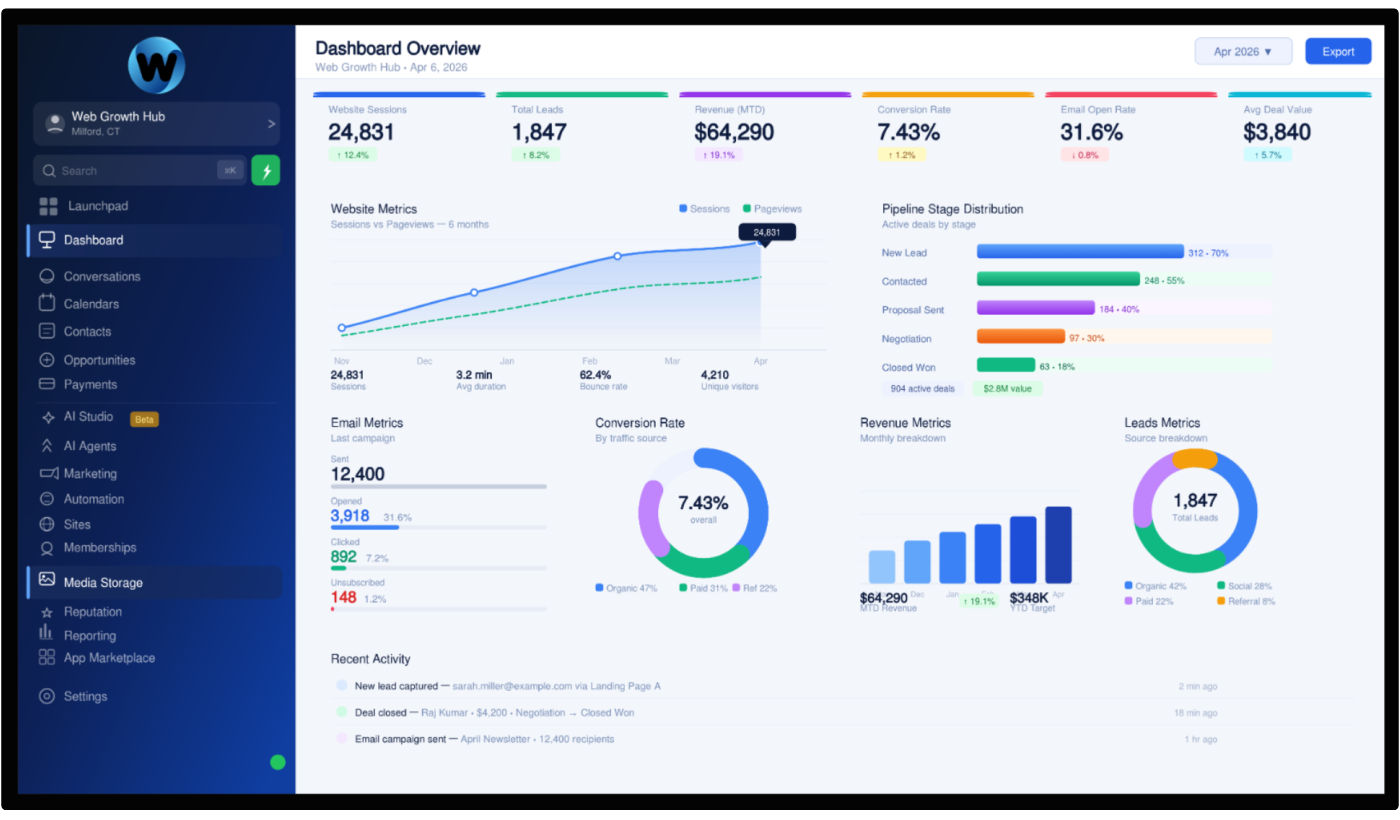
WebGrowthHub brings your website, CRM, lead capture, communication, automation, and business analytics into one connected platform.
Instead of managing your website in one system, leads in another, follow-ups somewhere else, and performance data across multiple dashboards, you can manage the important parts of your customer journey from one place.
For example, when someone discovers your business through Google, they can land on your website and submit an inquiry.
That lead can then be captured and organized in your CRM.
Automated follow-up can help make sure the inquiry doesn't sit unanswered.
Your team can track the opportunity and see what happens after the original website visit.
This creates a more complete system:
Google Search → Website → Lead Capture → CRM → Follow-Up → Customer
Getting your website back into Google is important.
But making sure that visibility produces actual business is even more important.
Don't Wait Until Your Website Disappears
The best time to monitor your website's search visibility is before there's a major problem.
Regularly review your Google Search Console data, website performance, important pages, rankings, and traffic.
Keep your content updated.
Monitor technical issues.
Pay attention to changes in your competitors.
And make sure your website remains aligned with what your customers are searching for.
SEO isn't a one-time task.
Your website needs ongoing attention as your business, competitors, customers, and search engines change.
Final Thoughts
If your website suddenly disappeared from Google Search, don't assume that everything you've built is gone.
There may be a straightforward technical explanation.
Your pages may have been deindexed. A noindex setting may have been added accidentally. A website migration may have broken important URLs. Your content may have changed. Or your competitors may simply have moved ahead.
The key is to diagnose the problem before making major changes.
Start with Google Search Console, check your indexing status, review recent website changes, investigate technical issues, and compare your current search visibility with previous performance.
Once you know what happened, you can take targeted steps toward recovery.
And remember, Google visibility is only the beginning.
A successful online presence needs more than rankings. Your website needs to turn visitors into leads, your CRM needs to keep those opportunities organized, and your follow-up system needs to help turn inquiries into customers.
That's why a connected platform like WebGrowthHub can be valuable.
Instead of treating your website, SEO, lead management, and automation as separate pieces, you can build them into one system designed to help your business get found, capture opportunities, and grow.


