

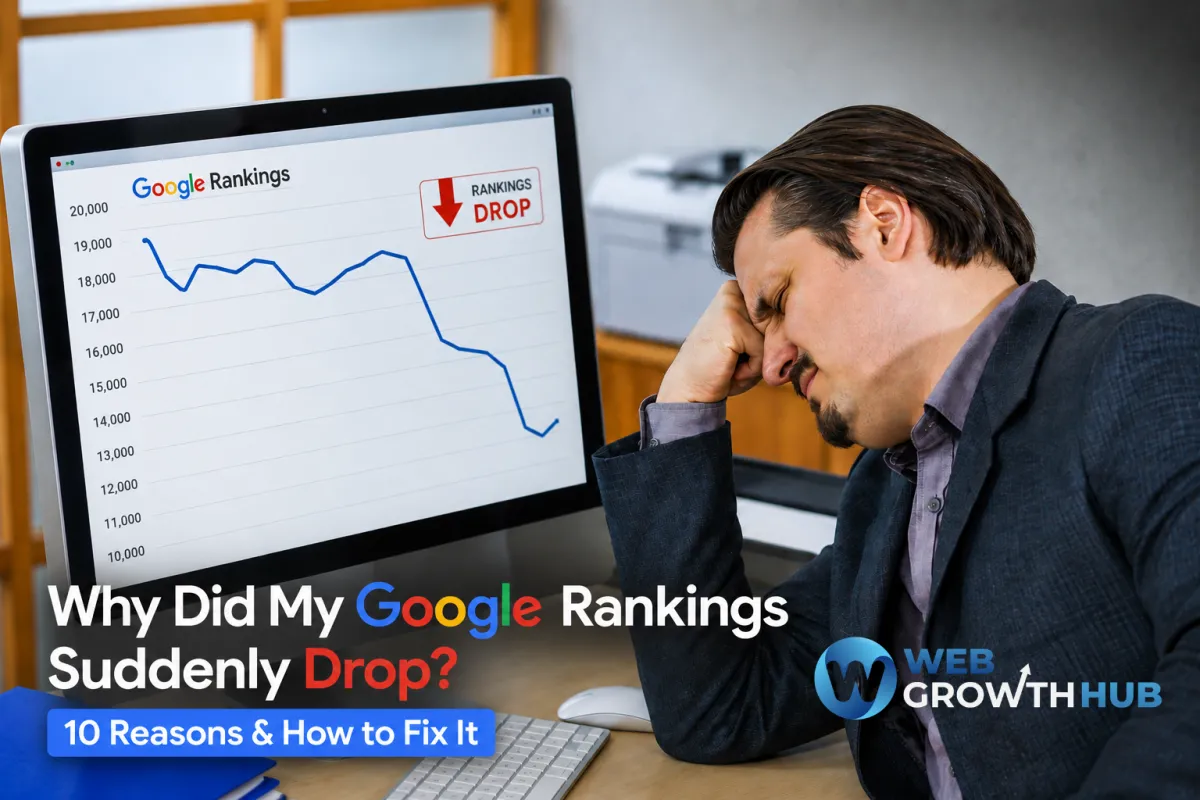
Why Did My Google Rankings Suddenly Drop? 10 Reasons & How to Fix It
Seeing your website suddenly drop in Google Search can be alarming.
One day, your business may be ranking near the top for important keywords. The next, those same pages have moved down several positions, your organic traffic has declined, and fewer people are finding your business through Google.
The first reaction is usually to assume something is seriously wrong.
But a sudden ranking drop doesn't always mean your website has been penalized or that your SEO strategy has failed. Rankings can change for many different reasons, including algorithm updates, technical problems, changes to your content, increased competition, or even temporary fluctuations in search results.
The important thing is to avoid making random changes before understanding what happened.
In this guide, we'll look at 10 common reasons why Google rankings suddenly drop and explain what you can do to identify the problem and start improving your search visibility again.
1. Google Algorithm Updates
One of the first things to investigate when rankings suddenly change is whether Google recently released an algorithm update.
Google regularly updates its search systems to improve the quality and relevance of its results. Some updates are relatively small, while larger core updates can cause noticeable changes across many websites.
If your rankings dropped around the same time as a major Google update, the change may not be related to a specific technical error on your website.
Instead, Google may have changed how it evaluates certain types of content, relevance, quality, or user experience.
How to check
Compare the date your rankings started declining with the timing of recent Google updates.
You should also look at whether the decline affected:
One page
Several pages
An entire topic
Multiple keywords
Your entire website
If many pages changed at approximately the same time, a broader algorithmic change may be worth investigating.
How to fix it
Don't immediately rewrite your entire website.
Start by reviewing the pages that lost visibility and compare them with the websites that now rank above you.
Look for differences in:
Content quality
Search intent
Depth of information
Page experience
Originality
Expertise and credibility
Internal linking
Overall usefulness
The goal isn't to optimize for a particular algorithm update. The goal is to make your content more useful and relevant to the people searching for it.
2. Your Competitors Improved Their SEO
Sometimes your rankings don't drop because your website became worse.
They drop because someone else became better.
SEO is relative. If your competitors publish better content, improve their websites, earn stronger backlinks, collect more reviews, or build greater authority, they can move above you even if you haven't changed anything.
For example, imagine your business ranks #2 for an important keyword.
A competitor publishes a significantly better resource that answers the customer's question more completely. Over time, Google may determine that the competitor's page provides a better result.
Your page moves from #2 to #4.
From your perspective, your ranking "dropped."
But nothing necessarily broke.
How to fix it
Perform a competitor comparison.
Look at the pages now ranking above yours and ask:
What are they doing better?
Compare their content, structure, page experience, internal links, backlinks, topical coverage, and overall usefulness.
Don't simply copy what competitors are doing.
Instead, identify gaps and create a better experience for your own audience.
3. Your Content Has Become Outdated
Content can lose visibility when it becomes outdated.
Information that was accurate two years ago may no longer fully answer what people are searching for today.
This is particularly important for topics involving:
Technology
Marketing
SEO
Software
Pricing
Industry trends
Statistics
Regulations
Product features
Even evergreen content can become less competitive as search intent changes and competitors publish more comprehensive resources.
How to fix it
Review pages that have experienced declining traffic or rankings.
Update outdated information, improve explanations, add relevant examples, strengthen internal links, and make sure the page still satisfies the searcher's intent.
Don't update content simply to change the publication date.
The goal should be to make the page meaningfully better.
4. Your Website Has Technical SEO Problems
Technical problems can sometimes cause significant ranking changes.
A page may still appear perfectly normal to you while search engines encounter problems crawling, indexing, or understanding it.
Common technical SEO issues include:
Pages accidentally marked as noindex
Broken redirects
Incorrect canonical tags
Broken internal links
Crawl errors
Duplicate pages
Missing sitemap information
Server errors
Mobile usability problems
Significant page speed issues
How to fix it
Use tools such as Google Search Console to investigate indexing and crawling issues.
Check whether your most important pages are still indexed and accessible to search engines.
If an important page suddenly disappears from Google's index, fixing the technical problem should take priority over rewriting the content.
5. You Accidentally Changed an Important Page

Website updates can sometimes create SEO problems without anyone realizing it.
A redesign, content update, URL change, or website migration can unintentionally remove elements that were helping a page rank.
For example, someone might:
Change the URL
Remove important content
Change the page title
Delete internal links
Replace a high-performing page
Add a noindex directive
Change canonical settings
Remove an important service page
The website may look better visually while becoming less effective from an SEO perspective.
How to fix it
Compare the current version of the page with an older version if one is available.
Look specifically for major changes that occurred around the time rankings declined.
If a URL was changed, make sure the old URL properly redirects to the new one.
If valuable content was removed, consider restoring or improving it.
Don't Panic When Rankings Move
Google rankings naturally fluctuate.
A temporary movement of a few positions doesn't necessarily mean your website has a serious problem.
Before making major changes, look at the bigger picture.
Is organic traffic declining?
Are multiple important keywords affected?
Did the change happen suddenly or gradually?
Did competitors experience similar changes?
Did you recently modify your website?
Answering these questions can help you distinguish between normal ranking volatility and a genuine SEO problem.
6. You Lost Important Backlinks
Backlinks can play an important role in building your website's authority. When reputable and relevant websites link to your content, those links can help search engines understand that your website is trusted within its topic or industry.
If your website suddenly loses several valuable backlinks, some pages may gradually lose authority and visibility.
This can happen when:
A website removes a link to your page
An article containing your backlink is deleted
A website redesign removes old links
A referring domain shuts down
A competitor replaces your resource with another source
Not every lost backlink will cause a ranking drop. What matters is the quality and relevance of the links you lose.
How to fix it
Start by identifying which backlinks disappeared and determine whether any were particularly valuable.
If an important website previously linked to one of your resources, consider reaching out to see whether the link can be restored.
You can also focus on earning new, relevant backlinks by creating useful resources, publishing original information, developing local partnerships, and producing content that other websites naturally want to reference.
The goal shouldn't be collecting as many backlinks as possible.
It should be building genuine authority around your business and the topics you want to rank for.
7. Important Pages Are No Longer Being Indexed
Sometimes a ranking drop isn't actually a ranking problem.
Your page may simply no longer be indexed.
If Google cannot index an important page, that page has little chance of appearing in search results for the keywords it previously ranked for.
This can happen after website migrations, redesigns, URL changes, technical updates, or accidental changes to your site's indexing settings.
How to check
Google Search Console can help you determine whether important pages are indexed.
Pay particular attention to your highest-value pages, such as:
Homepage
Service pages
Location pages
Important blog posts
Product pages
Landing pages
If a page that previously generated organic traffic is suddenly missing from Google's index, investigate the issue before making major content changes.
How to fix it
Check the page's indexing settings, canonical URL, robots directives, internal links, and sitemap configuration.
If the page is valid and should appear in Google, you can request indexing through Google Search Console after resolving the underlying issue.
8. Your Website Experience Has Declined

Your website isn't just competing on content.
It also needs to provide a good experience for visitors.
If your website becomes slower, harder to navigate, difficult to use on mobile devices, or filled with intrusive elements, visitors may struggle to find what they need.
Poor website experience can also affect your ability to convert organic traffic into leads.
Look for issues such as:
Slow-loading pages
Difficult mobile navigation
Large intrusive pop-ups
Confusing layouts
Poor readability
Broken forms
Too many unnecessary elements
Difficult-to-find contact information
How to fix it
Test your most important pages on both desktop and mobile devices.
Look at your website from the perspective of a first-time visitor.
Can someone immediately understand what your business does?
Can they find your services?
Can they easily contact you?
Can the page load quickly enough for them to continue browsing?
Improving these areas creates a better experience for both visitors and your overall digital marketing performance.
9. Your Local SEO Signals Changed
For businesses that depend on local customers, a decline in Google visibility may not be limited to traditional organic search.
Your local search presence can change as competitors improve their Google Business Profiles, collect more reviews, update their information, or strengthen their local authority.
If your business suddenly becomes less visible for searches such as:
"plumber near me"
or
[city]
your local SEO strategy may need attention.
How to fix it
Review your Google Business Profile and make sure your information is accurate and complete.
Check your:
Business name
Address
Phone number
Business hours
Categories
Services
Photos
Reviews
Website link
Continue collecting genuine customer reviews and responding to them appropriately.
You should also make sure your business information is consistent across relevant online directories and local websites.
For local businesses, improving your Google Business Profile and strengthening your website together can create a much stronger local search presence.
10. Your Website Received a Manual Action
A manual action is different from a normal algorithm update.
It means Google's team has determined that specific pages or practices on your website violate its spam policies.
If your website receives a manual action, Google Search Console can provide information about the issue.
This is one reason you shouldn't assume every ranking decline is caused by an algorithm update.
How to check
Log into Google Search Console and review the Manual Actions section.
If Google has issued a manual action, you'll generally receive information about what needs to be addressed.
How to fix it
First, identify exactly what caused the manual action.
Then remove or correct the problematic content or practices.
Once the issues have been addressed, follow Google's process for requesting a review.
Avoid making random SEO changes while trying to resolve a manual action. Focus specifically on the problems identified by Google.
What Should You Do When Your Rankings Suddenly Drop?
When rankings decline, the worst thing you can do is panic and start changing everything at once.
Instead, work through the problem systematically.
Start by checking your Google Search Console data.
Look at when the decline began and identify which pages and search queries were affected.
Then ask:
Did traffic decline across the entire website or only certain pages?
If only a few pages were affected, investigate those pages individually.
Did the decline happen after a website change?
Review recent redesigns, URL changes, content updates, migrations, or technical changes.
Did competitors also experience a change?
If the entire search landscape shifted, an algorithm update or change in search intent may be involved.
Are your important pages still indexed?
Check the pages that previously generated the most organic traffic.
Did your local visibility change?
If you depend on local customers, review your Google Business Profile and local search performance.
This process gives you a much clearer picture of what happened before you start implementing fixes.
Don't Try to Fix Everything at Once
A ranking drop can make business owners want to make immediate, dramatic changes.
They rewrite every page.
Change all their URLs.
Install new SEO plugins.
Remove content.
Build hundreds of backlinks.
Change their entire website.
This can actually make diagnosis more difficult.
Instead, identify the most likely cause first.
Then make targeted changes and monitor the results.
SEO recovery is often a process of investigation, improvement, and measurement.
The more organized your approach is, the easier it becomes to determine what is actually working.
How to Recover After a Ranking Drop
If you've identified the cause of your decline, the next step is to improve the areas that need attention.
That might mean refreshing outdated content, fixing technical SEO problems, improving your website experience, strengthening your local SEO, or rebuilding authority through quality content and relevant backlinks.
If your rankings have been declining for some time, don't expect them to return overnight.
SEO recovery can take time.
The important thing is to focus on sustainable improvements rather than shortcuts.
If you've already experienced a significant decline, our guide How to Recover Lost Google Rankings goes deeper into the recovery process and the steps you can take to rebuild your search visibility.
Turn Rankings Into Actual Business Growth
Getting your rankings back is important, but rankings aren't the ultimate goal.
The real goal is to turn search visibility into website visitors, leads, appointments, and customers.
A business can rank well and still struggle to generate leads if its website is difficult to navigate, its forms aren't optimized, or inquiries aren't followed up quickly.
That's where your website, CRM, and automation systems become important.
When someone discovers your business through Google, you need a system that makes it easy for them to take the next step.
A well-designed website can capture the inquiry.
A CRM can organize the lead.
Automation can trigger an immediate follow-up.
Your team can then focus on converting that opportunity into a customer.
This is where SEO becomes part of a much larger business growth system.
Final Thoughts
A sudden Google ranking drop can be frustrating, but it doesn't automatically mean your website is permanently damaged.
There are many possible explanations.
You may be dealing with an algorithm update, stronger competitors, outdated content, technical SEO problems, lost backlinks, indexing issues, website performance problems, local SEO changes, or a manual action.
The key is to identify the cause before trying to fix it.
Use Google Search Console and your analytics data to understand what changed. Review your website carefully, compare your pages with competitors, and make targeted improvements rather than reacting with drastic changes.
Most importantly, remember that SEO is an ongoing process.
Your competitors are improving.
Search behavior is changing.
Google is constantly refining its results.
Your website needs to evolve too.
Businesses that consistently improve their content, website experience, local presence, and customer journey are better positioned to maintain visibility and turn Google traffic into sustainable growth.


