

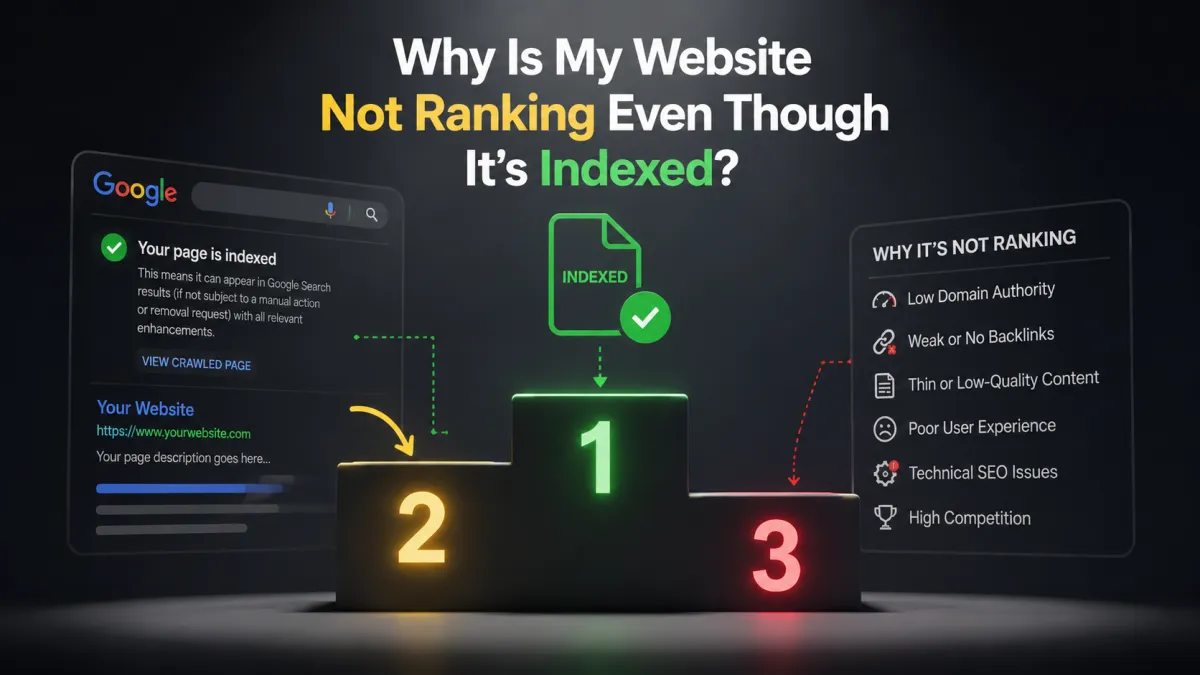
Why Is My Website Not Ranking Even Though It’s Indexed?
Getting your website indexed by Google is an important first step, but it does not automatically mean your website will rank well.
You may check Google Search Console, see that your page is indexed, and still wonder why it does not appear when you search for your target keywords.
This is a common point of confusion for business owners. Indexing and ranking are two different things.
Google can know that your page exists without deciding that it deserves to appear near the top of the search results.
If your website is indexed but still not ranking, there are several possible reasons. Your page may not match search intent, your content may not be competitive enough, your website may lack authority, your on-page SEO may need improvement, or Google may simply not see your page as one of the strongest results for the search.
The good news is that being indexed means Google has already discovered and processed the page. Now the goal is to understand what is preventing it from competing effectively.
What Does It Mean When Your Website Is Indexed?
When Google indexes a page, it means Google has discovered and processed that page and may consider it eligible to appear in search results.
But indexed does not mean ranked on page 1.
Think of indexing as getting your website into Google's library.
Ranking is Google's decision about where that page should appear when someone searches for something related to it.
Your page can therefore be:
Indexed + Ranking #1
Indexed + Ranking #15
Indexed + Ranking #80
or effectively receiving little to no visibility for the searches you care about.
So if your page is indexed but you cannot find it near the top of Google, the problem is probably not simply that Google has failed to discover it.
The next question is:
Why isn't Google choosing it over the other pages competing for the same search?
1. Your Page May Not Match Search Intent
One of the first things to investigate is search intent.
Search intent is the reason someone performs a particular Google search.
For example, someone searching:
"how to improve my Google Business Profile ranking"
is probably looking for practical advice.
Someone searching:
"Google Business Profile management service"
may be looking for a company that provides a service.
If your page does not satisfy the intent behind the search, Google may prefer other pages that do.
Your page could contain the right keywords and still fail to rank because it is answering the wrong question.
Before changing your SEO, search your target keyword and look at the pages appearing on page 1.
Ask:
What are these pages giving the searcher that my page isn't?
That comparison can reveal opportunities much faster than simply adding more keywords.
2. Your Content May Not Be Strong Enough

Being indexed does not mean Google considers your content the best available answer.
Your page may be relevant but still not competitive.
For example, imagine your article explains five things about a topic while the strongest competing articles provide detailed explanations, examples, processes, frequently asked questions, and supporting information.
Simply being indexed will not give your article an advantage.
Instead of asking:
"How can I add more keywords?"
ask:
"How can I make this page more useful than it is right now?"
Look for missing information, unclear explanations, outdated sections, unanswered questions, and areas where the reader needs more practical guidance.
The objective is not to make the page longer just for the sake of length.
The objective is to make it more useful and more complete.
3. Your Page May Be Targeting a Highly Competitive Keyword
Sometimes the issue is not the quality of your page.
The keyword itself may be extremely competitive.
A new or relatively small website may struggle to rank for a broad search dominated by highly established websites.
For example, trying to rank for a very broad keyword such as:
"SEO"
is dramatically different from targeting a more specific search such as:
"local SEO for roofing companies"
This does not mean you should avoid competitive keywords completely.
Instead, build your strategy around a mixture of broader and more specific searches.
More specific keywords can help you reach people with clearer intent while building your website's overall topical relevance.
4. Your On-Page SEO May Need Improvement
Your page can be indexed while still having weak or unclear on-page signals.
Review important elements such as:
Page title
Main heading
Subheadings
Introduction
Content structure
Internal links
URL
Image alt text where relevant
Your page should make it clear what topic it is addressing.
For example, if the page is designed to answer:
"Why is my website not ranking even though it's indexed?"
the title, heading, introduction, and content should all reinforce that topic naturally.
You do not need to repeat the keyword dozens of times.
Instead, make the page's subject and purpose clear.
5. Your Website May Not Have Enough Topical Authority

Google can look at the broader context of your website when evaluating individual pages.
If your website has one article about a subject but your competitors have dozens of useful pages covering related questions, your competitor may have built stronger topical coverage.
For example, a business trying to build visibility around local SEO could create useful content covering:
Google Business Profile
Local SEO
Google Maps
Local search rankings
Google reviews
Website SEO
Local lead generation
Search visibility
These pages can then connect naturally through internal links.
Instead of publishing isolated articles, build a group of related resources around the problems your customers actually search for.
6. Your Internal Linking May Be Weak
Internal links help search engines understand how pages on your website relate to each other.
They also help distribute context and make it easier for visitors to discover related information.
For example, this article could naturally link to related WebGrowthHub content such as How to Recover Lost Google Rankings or Why Is My Website Ranking on Page 2 of Google Instead of Page 1?
The important part is relevance.
Do not add internal links simply to increase the number of links on a page.
Instead, ask:
Would this link help someone who is reading this section?
If the answer is yes, it is probably a useful internal link.
7. Your Website May Need More Authority
Content relevance is only one part of SEO.
Competitive search results may also include websites that have established authority through their reputation, content, links, and broader presence online.
If your page is competing against websites with much stronger authority, publishing another article may not be enough to move ahead of them.
A broader SEO strategy may include earning relevant links and mentions from reputable websites.
The goal should be quality and relevance rather than collecting as many links as possible.
8. Your Website Experience Could Be Holding You Back
SEO is not just about keywords and content.
Your website also needs to provide a good experience.
Review:
Mobile usability
Page speed and performance
Navigation
Readability
Broken links
Intrusive pop-ups
Page layout
Accessibility
Forms and calls to action
A visitor should be able to quickly understand what your page is about and find the information they need.
A page that is technically indexed but difficult to use is still a poor experience for potential customers.
9. Google May Not See Your Page as the Best Result Yet
Sometimes everything looks technically correct.
The page is:
Published
Crawlable
Indexed
Optimized
Relevant
Yet it still does not rank well.
This can happen because Google has many pages to compare.
Your page may simply not have demonstrated enough value relative to the other available results.
This is why SEO should not be approached as a checklist where completing ten technical tasks automatically produces a page-one ranking.
There are many factors involved, and Google ultimately has to determine which results are most useful for a particular search.
10. You May Be Looking at the Wrong Search

Another possibility is that you're searching for your target keyword manually and assuming your page is not ranking.
Search results can vary based on factors such as location, personalization, device, and search context.
Instead of relying only on manual searches, use tools such as Google Search Console to understand the searches for which your page is actually receiving impressions.
You may discover that the page is already appearing for variations of your target topic that you were not expecting.
Those searches can provide valuable clues about what Google believes your page is relevant to.
How to Fix a Website That Is Indexed but Not Ranking
Once you've confirmed that your page is indexed, avoid immediately making dozens of changes.
Take a structured approach.
Start With Search Intent
Search your target keyword.
Study the page-one results.
Understand what users are actually looking for.
Then compare that with your page.
Improve the Content
Add information that genuinely helps the reader.
Answer questions competitors overlook.
Improve explanations.
Add examples where useful.
Update outdated information.
Remove unnecessary content.
Improve On-Page SEO
Review your:
Title
H1
Headings
URL
Introduction
Internal links
Content structure
Make the page's purpose clear.
Build Related Content
Create supporting content around closely related searches.
Then connect those articles through relevant internal links.
This can help establish a stronger content structure around your core topics.
Strengthen Your Website's Authority
If you're competing against established websites, consider broader strategies for earning relevant mentions and links.
Improve User Experience
Make sure your website works well on mobile devices, loads efficiently, is easy to navigate, and makes the next step obvious.
How to Check Whether Your Page Is Actually Indexed
Google Search Console can help you investigate indexing and search performance.
Look at the URL Inspection tool to understand whether Google has indexed a particular URL.
Then use the Performance report to see whether that page is receiving:
Impressions
Clicks
Search queries
Average position
This distinction is important.
A page can have zero clicks but thousands of impressions.
That means Google is showing it, but it may be ranking too low or receiving an unattractive position in the results.
In that situation, your problem is not indexing.
It is visibility and performance.
Indexed Doesn't Mean You Have Won
This is the most important distinction to remember:
Indexing answers the question: "Does Google know about my page?"
Ranking answers the question: "Where does Google think this page belongs?"
Getting indexed is an important technical step, but it is only the beginning.
Your goal should be to create a page that deserves to compete for the searches that matter to your business.
That means focusing on relevance, useful content, search intent, website quality, internal linking, authority, and the overall experience you provide.
How WebGrowthHub Can Help
Improving your Google visibility is only one part of growing your business online.
Once people find your website, you also need a system that can capture their information, organize leads, follow up with prospects, and turn opportunities into customers.
WebGrowthHub brings your website, lead capture, CRM, sales pipeline, automation, communication, booking, reputation management, and other business-growth tools together in one connected platform.
That means your website does not have to operate separately from your sales process.
A potential customer can discover your business through search, visit your website, submit a form or book an appointment, enter your CRM, receive follow-up, and continue through your customer journey.
The goal isn't simply to get indexed or even to rank higher. The goal is to turn online visibility into real business opportunities.
Final Takeaway
If your website is indexed but not ranking, that does not necessarily mean something is broken.
Indexing means Google has discovered and processed your page. Ranking depends on how well Google believes that page satisfies a particular search compared with the other pages competing for the same visibility.
Start by checking search intent, content quality, competition, on-page SEO, internal linking, topical authority, website experience, and overall site authority.
Then make targeted improvements and monitor the results through Google Search Console.
Being indexed gets your page into Google's system. Building a genuinely useful, relevant, trustworthy page gives it a better chance of earning meaningful search visibility.


